Find or add a report
Last updated: July 17, 2026
View and export a site report
Use the video controls or chapter buttons to follow this tutorial.
Read transcript
- Open Harbour View Annex from your InBuildr projects.
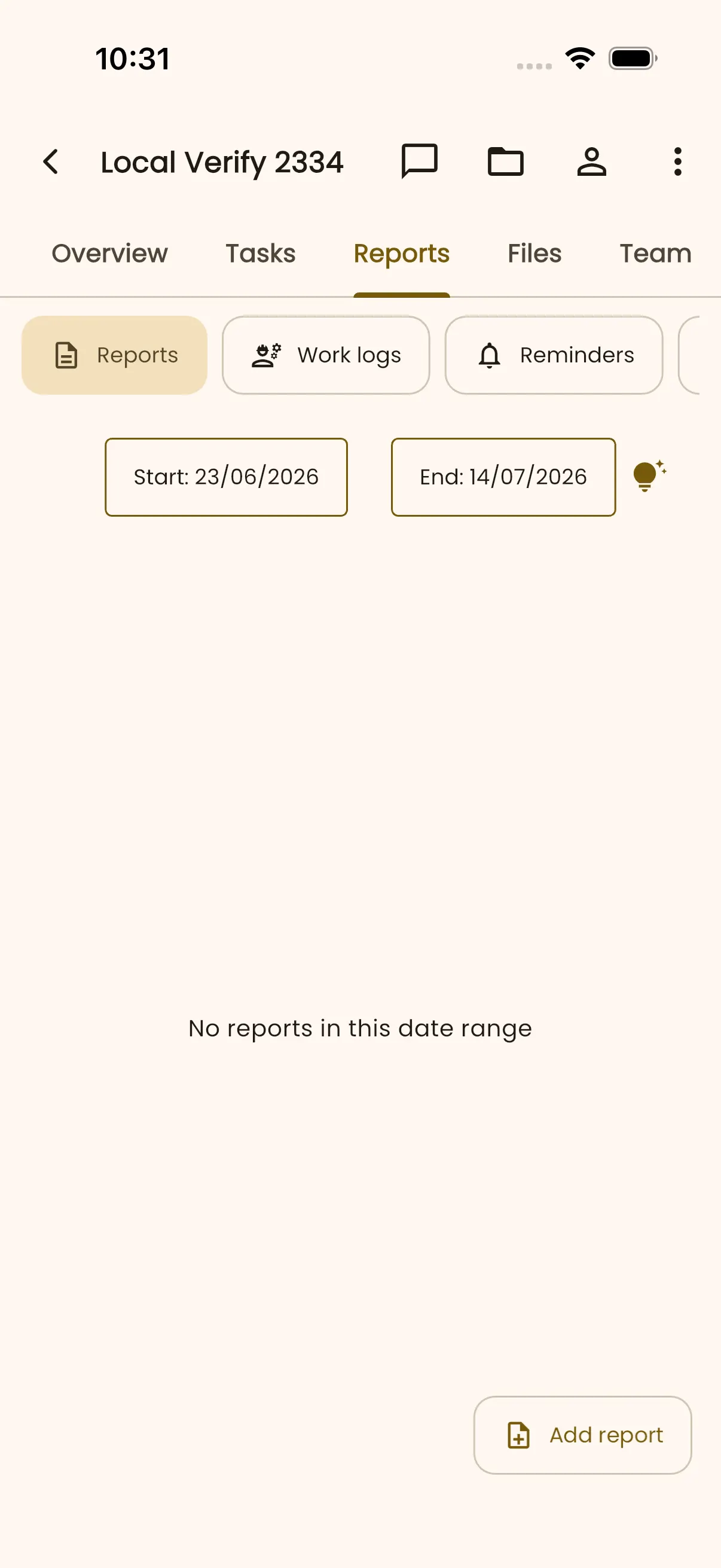
- Choose Reports to see submitted site reports for the selected date range.
- Open the submitted report dated 18 July 2026.
- Review the report preview, including weather, site conditions, labour strength, and work performed.
- Select Download PDF when you are ready to export the report.
- Android prepares the PDF and shows the available compatible apps.
- The chooser confirms that InBuildr generated the report PDF successfully. Select an app only when you want to open it.
Before you begin
Section titled “Before you begin”Sign in and open the project. Decide whether you need a report, work log, expenditure entry, or reminder.
Permission note
Section titled “Permission note”Creating a report or work log requires report-create permission. Creating an expense and creating a reminder each use their own project permissions.
- Open the project Reports tab.
- Select the relevant category, such as Reports, Work logs, or Reminders.
- Set the start and end dates when you need to narrow the results.
- Select the available add action to create a new entry, or open a listed record to review it.
Expected result
Section titled “Expected result”You can locate records for the selected date range or start the correct project-record form.
Troubleshooting
Section titled “Troubleshooting”If there are no records, widen the date range before assuming a report is missing. If an add action is absent, your project permissions may not permit that record type.